Hey there if youve ever stared at a spreadsheet, calculator, and a bag of ingredients wondering how on earth youll make a clear, compliant nutrition label, youre in the right place. Whether you run a small bakery from your kitchen counter, manage a food startup, or simply want to label homemade goods for a farmers market, a reliable nutrition label maker can save you time, frustration, and maybe a few headaches. Lets walk through what matters, why it matters, and how to pick a tool that feels like a helpful friend rather than a confusing manual.
Why Labels Matter
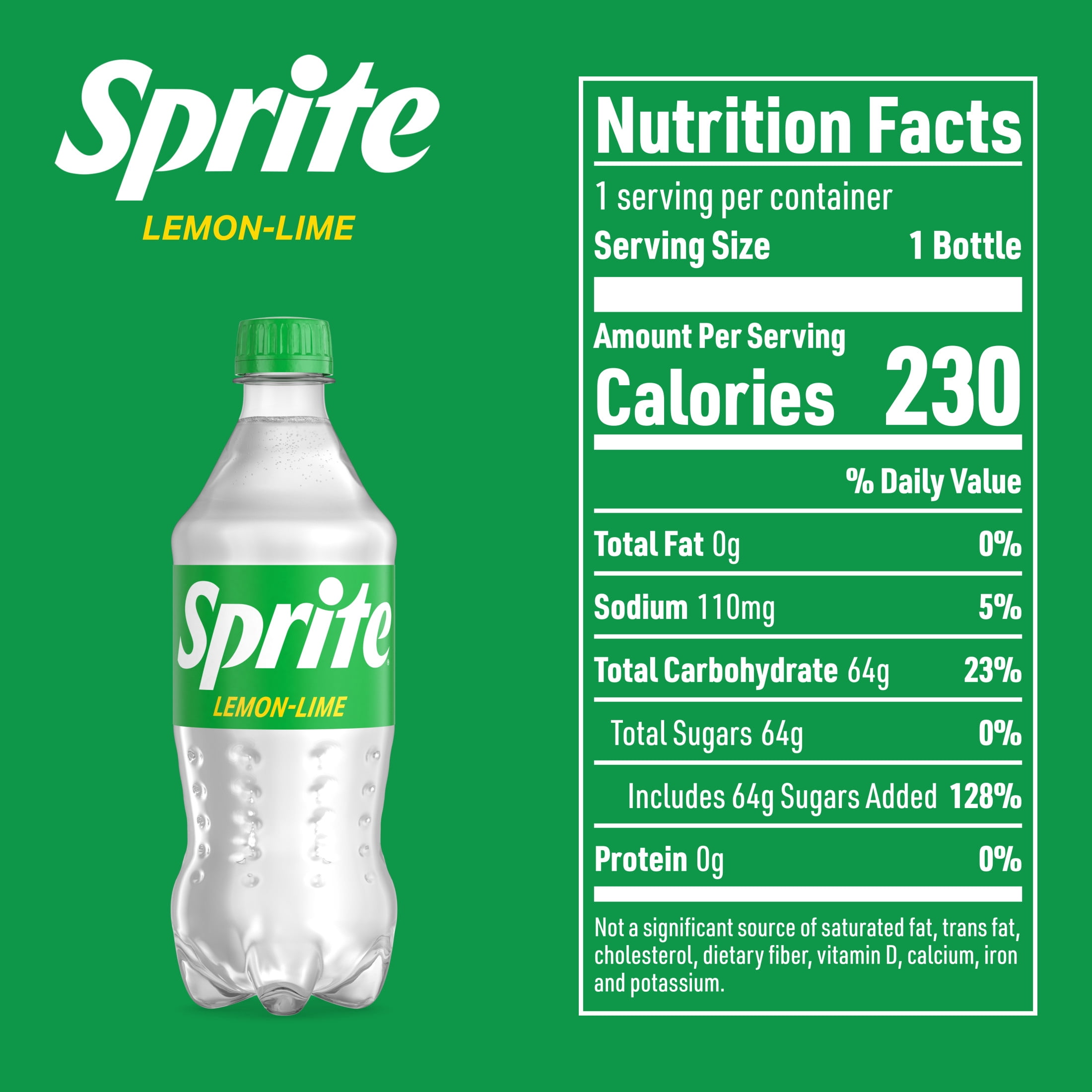
It might seem obvious, but nutrition labels do more than satisfy regulations. They tell your customers whats inside their food, build trust, and help people make choices that match their health needs and values. Someone avoiding too much sodium, another person counting carbs your label is their guide. Also, correctly labeled products often sell better because shoppers appreciate transparency. In short: labels protect you legally and help your food connect with the right customers.
Choose the Right Tool
So, how do you choose the best nutrition label maker? Think of it like picking the right kitchen knife. You want something reliable, comfortable, and suited to the task. Here are the key things to look for:
- Compliance and accuracy: The tool should calculate nutrition facts using up-to-date methods and be compliant with local labeling laws.
- Ingredient database: A solid database makes life easier you shouldnt be entering every raw item manually.
- Customization: Can you add your brand logo, adjust serving sizes, or format the layout for print?
- User experience: Is the interface intuitive, or does it feel like deciphering an ancient map?
- Export and print options: Labels need to fit on packaging, websites, and even small stickers. Good export functionality is a must.
How Nutrition Label Makers Work
Curious about the mechanics? Most nutrition label makers do two main things: estimate nutrient content and format that data into an attractive label. Behind the scenes, the software tallies calories, macronutrients, vitamins, and minerals based on the ingredients and their amounts. Some tools use a nutrient database (think standardized ingredient profiles), while advanced solutions may allow lab analysis input for hyper-accurate results.
Imagine youre making a cookie recipe: the tool will take the grams of flour, butter, sugar, and eggs, then calculate how much fat, protein, carbs, and sodium are in a single serving. Thats then wrapped into the familiar label format buyers expect.
Common Features Youll Love
Here are features that truly make a nutrition label maker feel like a time-saving pal:
- Recipe scaling: Change batch sizes and the label adapts automatically.
- Allergen flags: Automatically checks for common allergens like nuts, dairy, soy.
- Multiple formats: Export as high-res PDF, PNG, or print-ready files.
- Ingredient substitution suggestions: Handy if you tweak recipes often.
- Barcode generation: Some tools bundle label creation with barcode and SKU generation perfect for retailers.
Practical Tips for Accurate Labels
Accuracy matters. A small mistake can lead to consumer distrust or compliance problems. Here are practical tips Ive picked up think of them as little guardrails to keep your labels honest and useful.
- Weigh ingredients, dont guess: Using grams instead of cups reduces huge variability, especially for things like flour or chopped nuts.
- Account for losses: Some ingredients lose water during cooking (like vegetables), which changes nutritional density. If you can, use post-cooking weights.
- Decide serving size carefully: Serving size affects perception and nutritional numbers. Be realistic is a cookie one medium cookie or three small bites?
- Keep recipes consistent: Frequent recipe tweaks mean recalculating labels. Try to standardize key ingredients and methods when possible.
Design That Sells (and Helps)
A good label does two jobs: it informs and it persuades. The nutrition label maker should let you produce a clear nutrition facts panel and also craft attractive front-of-pack elements like calorie badges or summary highlights think High in Protein or Made with Olive Oil. But please, honesty first. Dont overclaim shoppers notice when visuals and reality dont match.
Also, consider readability. Tiny, cramped text on a glossy sticker is hard for anyone to read. Leave space, choose legible fonts, and make key numbers prominent (like calories and allergen warnings).
Special Considerations for Small Businesses
If youre running a small food biz, budgets and time matter. Heres how to make the most of a nutrition label maker without breaking the bank:
- Start with free trials: Many tools let you test-run before committing; use this to see if the interface clicks with you.
- Bundle services: Some platforms include label design, barcode creation, and regulatory checks in one package often cheaper than separate tools.
- Know when to lab-test: For complex foods or if you sell in retail chains, lab analysis may be required. Use a label maker for routine items, but invest in lab tests for products where accuracy must be airtight.
Common Pitfalls to Avoid
We all learn the hard way sometimes but you dont have to. Avoid these traps:
- Using vague ingredient entries: Cheese is too broad. Specify the type and fat content for accurate nutrient profiles.
- Ignoring local rules: Labeling regulations vary by country and region. Make sure your tool can generate compliant formats.
- Overcomplicating the label: Customers need clarity, not a novel. Keep it straightforward.
How to Integrate Labels into Your Workflow
Think about your production flow: recipe finalized batch prepared label printed pack goes out. If your nutrition label maker integrates with inventory or recipe management tools, it can save tons of time. Also, keep a master recipe file and date-stamped versions so you can quickly prove what formula was used if a question arises.
One more practical nudge: keep digital copies of every label version. Theyre tiny life-savers if a retailer or regulator asks to see something from last season.
Real-Life Example: From Dough to Label
Let me walk you through a short, realistic example the sort Ive seen countless times. Youve perfected a granola mix and want to sell it at local markets. You open your nutrition label maker, input the precise grams of oats, honey, nuts, and oil per batch, and set the batch yield (say 20 50g servings). The tool calculates calories, carbs, fats, protein, and fiber per serving. You flag allergens (tree nuts), tweak the serving size for customer appeal, add a short ingredient list in friendly language, then export a print-ready label with your logo.
In about 2030 minutes youve moved from recipe to a professional label youd be proud to sell. Thats the power of a good nutrition label maker.
A Note About Processed Foods
Many of us sell items that fall into the category of processed foods, and those can have special expectations around labeling. If you're curious about what counts as processed foods and how that impacts ingredient transparency and labeling choices, theres a helpful write-up that explains different levels of processing and what consumers tend to look for when they read a label. Its a useful read while youre refining your own labels: Processed foods.
Final Thoughts and Next Steps
Choosing a nutrition label maker is one of those practical moves that can really up your professionalism and customer trust. Start with a clear sense of your needs batch sizes, compliance requirements, and how polished you want the packaging to look. Try a couple of tools on short trials, test with a recipe you know well, and see how fast and accurate the output feels.
And if you ever feel stuck or overwhelmed, reach out to peers in your local food community or ask the vendor for a quick walkthrough most are happy to help because they know a confident user sticks around. What label are you planning to make next? Id love to hear about your product and help brainstorm what to highlight on the packaging. If you have any questions, dont hesitate to ask Im cheering you on.
FAQs
What is a nutrition label maker?
A nutrition label maker is a software tool that calculates the nutritional content of your food products based on your recipe ingredients and amounts, then formats this data into a compliant nutrition facts panel.
Do I need a nutrition label maker for my small business?
Yes, if you sell food products, a nutrition label maker helps ensure your labels are accurate and comply with regulations, which builds customer trust and avoids potential legal issues.
How accurate are nutrition label makers?
Accuracy depends on the tool's database and your input. Using precise, weighed ingredients and a reputable label maker with a robust database yields highly reliable results for most needs.
What's the most important feature in a nutrition label maker?
Compliance and accuracy are paramount. The tool must use up-to-date calculation methods and generate labels that meet FDA or other relevant regulatory standards.
Can a nutrition label maker handle allergen warnings?
Many quality nutrition label makers automatically flag common allergens like nuts, dairy, soy, and gluten based on the ingredients you input into your recipe.